开源工具
github.com ·
@experientiallabs
Experiential v0.7.149 发布:付费响应恢复与中断 rollout 处理更新
Experiential 发布 v0.7.149。该版本允许在显式 uncapped 评估中,将缺失价格相关 usage 的已完成响应和中断的付费单元作为新的 rollout generation 恢复,同时保留已保存响应、请求身份、收据和未知负债;恢复过程不会重发已保存的 HTTP 请求,也不会虚构零用量。SDK 会在报告无效 usage 或超出预留请求上限的计费前保存付费响应,此类校验错误仍不可重试;工具 JSON 被截断的原始 body 也会在解析错误到达调用方前保存,精确重放不产生新 HTTP 请求。长度受限且工具调用 JSON 不完整的响应被归类为中断响应,可使用同样的有界 rollout 恢复;普通畸形响应保持原有处理。既有三代限制与请求的重复次数相互独立。有限预算不允许在存在未知先前负债时进行恢复。该版本包含 PR #1185 及此前发布的推理显示变更,原生网关依赖为 exp-gateway-native==0.3.129。
AI推荐理由 官方 release notes 明确描述了 v0.7.149 的具体行为变更:缺失价格相关 usage 的已完成响应和中断的付费单元可在显式 uncapped 评估中作为新的 rollout generation 恢复,且恢复不会重发已保存的 HTTP 请求或虚构零用量;同时说明 SDK 在报告无效 usage 或超出预留请求上限的计费前会先保存付费响应,截断的工具 JSON 原始 body 也会在解析错误到达调用方前保存。这些是面向 agent 网关开发者的可验证工程细节,但属于较窄的 SDK 边界行为修复,对更广泛 AI 生态的直接影响有限。
62
正文
Official release notes (https://github.com/experientiallabs/experiential/releases/tag/v0.7.149)
Completed responses with missing price-relevant usage and interrupted paid cells can recover as fresh rollout generations in explicitly uncapped evaluations. Saved responses, request identities, receipts, and unknown liabilities remain intact. Recovery does not resend a saved HTTP request or invent zero usage.
The SDK saves paid responses before reporting invalid usage or a charge beyond the reserved request bound. Those validation errors remain nonretryable. Raw bodies with truncated tool JSON are also saved before the parsing error reaches the caller, and exact replay makes no new HTTP request.
Length-limited responses with incomplete tool-call JSON are classified as interrupted responses and can use the same bounded rollout recovery. Ordinary malformed responses retain their existing handling. The existing three-generation limit remains separate from the requested repeat count.
Finite budgets do not authorize recovery with unknown prior liability. Completed evidence remains available for free replay. Reports retain unknown aggregate experiment spend where necessary and calculate model comparison costs from valid rollouts.
Includes PR #1185 and the previously released reasoning display changes. The native gateway dependency is `exp-gateway-native==0.3.129`.
Repository README (current repository documentation, not release changes)
# Experiential
[](https://github.com/experientiallabs/experiential/actions/workflows/gateway-latency.yml?query=branch%3Amain)
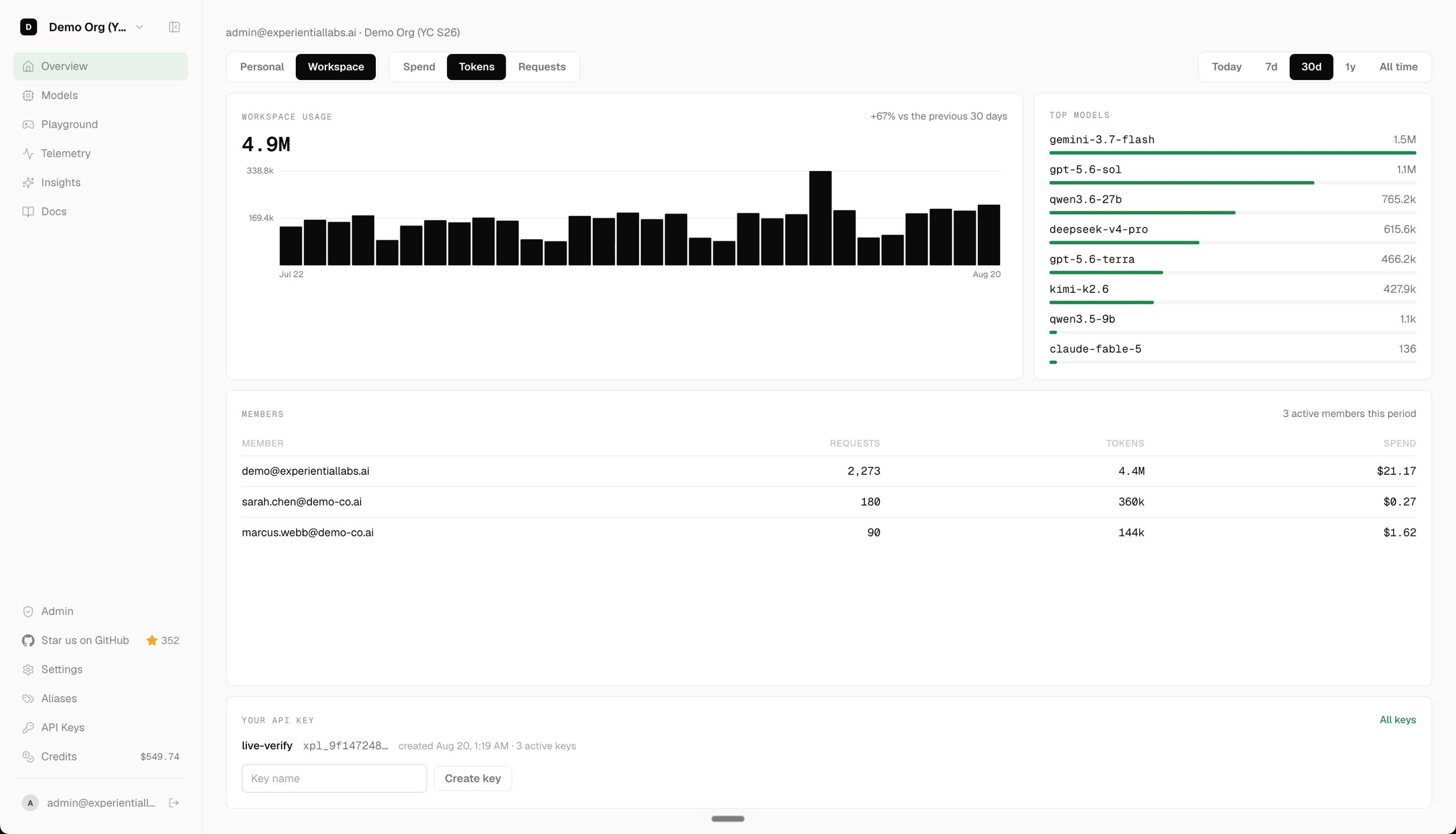
Experiential is an open source gateway and router for agent workflows:
1. Use hosted, BYOK, and local models through one OpenAI-compatible API.
2. Control which users and agents can use which models, for which use cases, and how much they can spend.
3. Turn production traffic into a custom router or model optimized for quality, speed, and cost.
🌐 Platform |
📚 Docs |
Discord
## Getting Started
Start a local OpenAI-compatible gateway. On first run, the setup wizard uses the shared provider,
model, and reasoning-effort selectors, persists every selected provider connection, then shows
defaults for the public alias, identity, and `$50.00` command budget before printing a one-time key:
```bash
pip install experiential
exp
```
Choose a public alias such as `opus-5`, capture the issued key, and send a request:
```bash
export EXP_GATEWAY_KEY=...
curl http://127.0.0.1:8000/v1/chat/completions \
-H "Authorization: Bearer $EXP_GATEWAY_KEY" \
-H 'Content-Type: application/json' \
-d '{"model":"opus-5","messages":[{"role":"user","content":"Help me"}]}'
```
## Setup / get started with the hosted gateway
Prefer a managed gateway to running one locally? The hosted platform at
[platform.experientiallabs.ai](https://platform.experientiallabs.ai) serves the same
OpenAI-compatible (and Anthropic Messages) API at `https://api.experientiallabs.ai/v1`.
See [SETUP.md](./SETUP.md) for copy-paste prompts you hand to your coding agent
(Claude Code, Cursor, Codex, and similar); the agent runs the setup for you. It
collects four prompts:
- Upload your LLM traces as telemetry: create an account instantly from your email, then pull or upload your existing LLM traces onto the platform as telemetry.
- Connect your inference provider keys (BYOK): create an account, then connect your own OpenAI, Anthropic, Gemini, Azure, Bedrock, Fireworks, or OpenRouter keys for free pass-through.
- Start calling models on the gateway: make your first `/v1` call with the OpenAI and Anthropic SDKs using an `xpl_` key, and optionally repoint your existing coding agents.
- Full onboarding: create an account instantly from your email, connect your keys, import your spend, then repoint every coding agent (Claude Code, Cursor, Codex, Aider, and similar) or Conductor at the gateway.
## Using the API
Start the local gateway with `exp` (or `exp run`); the compiled native data plane
serves every route on loopback. From Python, load a fitted project router as an
official OpenAI client backed by its own private gateway:
```python
import exp
with exp.load_router("my-project") as client:
response = client.chat.completions.create(
model="my-project",
messages=[{"role": "user", "content": "hello"}],
)
```
## Capture Traffic
Capture is designed to collect supported traces from the Codex and Claude Code desktop apps using
your existing ChatGPT or Claude subscription, while requests go directly to OpenAI or Anthropic.
It requires macOS, Python 3.13 or newer, and approval for its extension and certificate:
```bash
exp capture
```
Capture is experimental; macOS network reliability is still under investigation.
Use Experiential's gateway as middleware to control costs, enforce guardrails, and optimize quality,
costs, and speed. Leave the terminal open while you work. Press Ctrl+C to stop capture.
View your [capture telemetry](https://platform.experientiallabs.ai/api-keys?section=capture).
## Optimize from Traffic
First, collect OpenTelemetry traces from your current agent. If you just want to try it out, grab
the public [terminal-tasks OTLP dataset](https://huggingface.co/datasets/experiential-labs/wmo-terminal-tasks-traces):
```bash
curl -L -o traces.otel.jsonl \
https://huggingface.co/datasets/experiential-labs/wmo-terminal-tasks-traces/resolve/540883e451dc13d34fb50fdd36b143cb0f1fb0db/traces.otel.jsonl
```
Then build a project. The build command walks you through providers,
models, and budget, and asks for your trace file:
```bash
# Build simulation from your agent traces and optimize a router against it
exp build support-agent
```
After collecting traces from your router, fine-tune an open source model you own using
[Tinker](https://tinker.thinkingmachines.ai/).
```bash
exp optimize model support-agent
```
## Telemetry
Anonymous aggregate PostHog product telemetry is enabled by default. It never includes prompts,
traces, actions, observations, paths, model names, credentials, or raw customer content.
```bash
exp config telemetry status
exp config telemetry disable
exp config telemetry enable
```
The preference is stored locally in `.exp/settings.toml`.
## Development
```bash
uv sync --extra dev
uv run ruff format --check .
uv run ruff check .
uv run ty check
uv run pytest -q
```
Repository and documentation conventions live in [AGENTS.md](./AGENTS.md).