智能体
github.com ·
@experientiallabs
Experiential v0.7.113 修复缓存估算与结算逻辑
开源 agent 工作流网关 Experiential 发布 v0.7.113,修正平台 #2197 涉及的断连估算缓存处理:估算的 cache-read 分支上限为输入减去已观测 cache 写入,且所有已观测 cache 分支(读取、写入、一小时写入)均按上报值保留,使 read-first 结算钳制不会覆盖已上报的写入负债,也不会对未知 TTL 的写入错误定价。该版本仅涉及 Python,原生 crate 仍为 0.3.102,并附 192 项估算、记账与账本测试(含仅读、仅写的部分 provider 上报)作为证据。
AI推荐理由 官方 release notes 明确说明 v0.7.113 修正了平台 #2197 涉及的缓存处理逻辑:估算的 cache-read 分支以输入减去已观测 cache 写入为上限,并保留所有已上报的 cache 分支,避免结算钳制覆盖写入负债或对未知 TTL 写入错误定价,且列出 192 项估算、记账与账本测试作为证据。信息具体、可验证,但属于面向 agent 网关计费细节的小版本修复,受众较窄。
60
正文
Official release notes (https://github.com/experientiallabs/experiential/releases/tag/v0.7.113)
Corrects the disconnect estimate's cache handling held by platform #2197: an estimated cache-read leg is capped at input minus observed cache writes and every observed cache leg (reads, writes, one-hour writes) is kept as reported even when the input total itself is the gateway's count, so the read-first settlement clamps never displace reported write liability or price away an unknown-TTL write (experientiallabs/experiential#1092). Python only; the native crate stays at 0.3.102. Evidence: 192 estimator, accounting and ledger tests including partial reads-only and writes-only provider reports.
Repository README (current repository documentation, not release changes)
# Experiential
[](https://github.com/experientiallabs/experiential/actions/workflows/gateway-latency.yml?query=branch%3Amain)
Experiential is an open source gateway and router for agent workflows:
1. Use hosted, BYOK, and local models through one OpenAI-compatible API.
2. Control which users and agents can use which models, for which use cases, and how much they can spend.
3. Turn production traffic into a custom router or model optimized for quality, speed, and cost.
🌐 Platform |
📚 Docs |
Discord
## Getting Started
Start a local OpenAI-compatible gateway. On first run, the setup wizard uses the shared provider,
model, and reasoning-effort selectors, persists every selected provider connection, then shows
defaults for the public alias, identity, and `$50.00` command budget before printing a one-time key:
```bash
pip install experiential
exp
```
Choose a public alias such as `opus-5`, capture the issued key, and send a request:
```bash
export EXP_GATEWAY_KEY=...
curl http://127.0.0.1:8000/v1/chat/completions \
-H "Authorization: Bearer $EXP_GATEWAY_KEY" \
-H 'Content-Type: application/json' \
-d '{"model":"opus-5","messages":[{"role":"user","content":"Help me"}]}'
```
## Setup / get started with the hosted gateway
Prefer a managed gateway to running one locally? The hosted platform at
[platform.experientiallabs.ai](https://platform.experientiallabs.ai) serves the same
OpenAI-compatible (and Anthropic Messages) API at `https://api.experientiallabs.ai/v1`.
See [SETUP.md](./SETUP.md) for copy-paste prompts you hand to your coding agent
(Claude Code, Cursor, Codex, and similar); the agent runs the setup for you. It
collects four prompts:
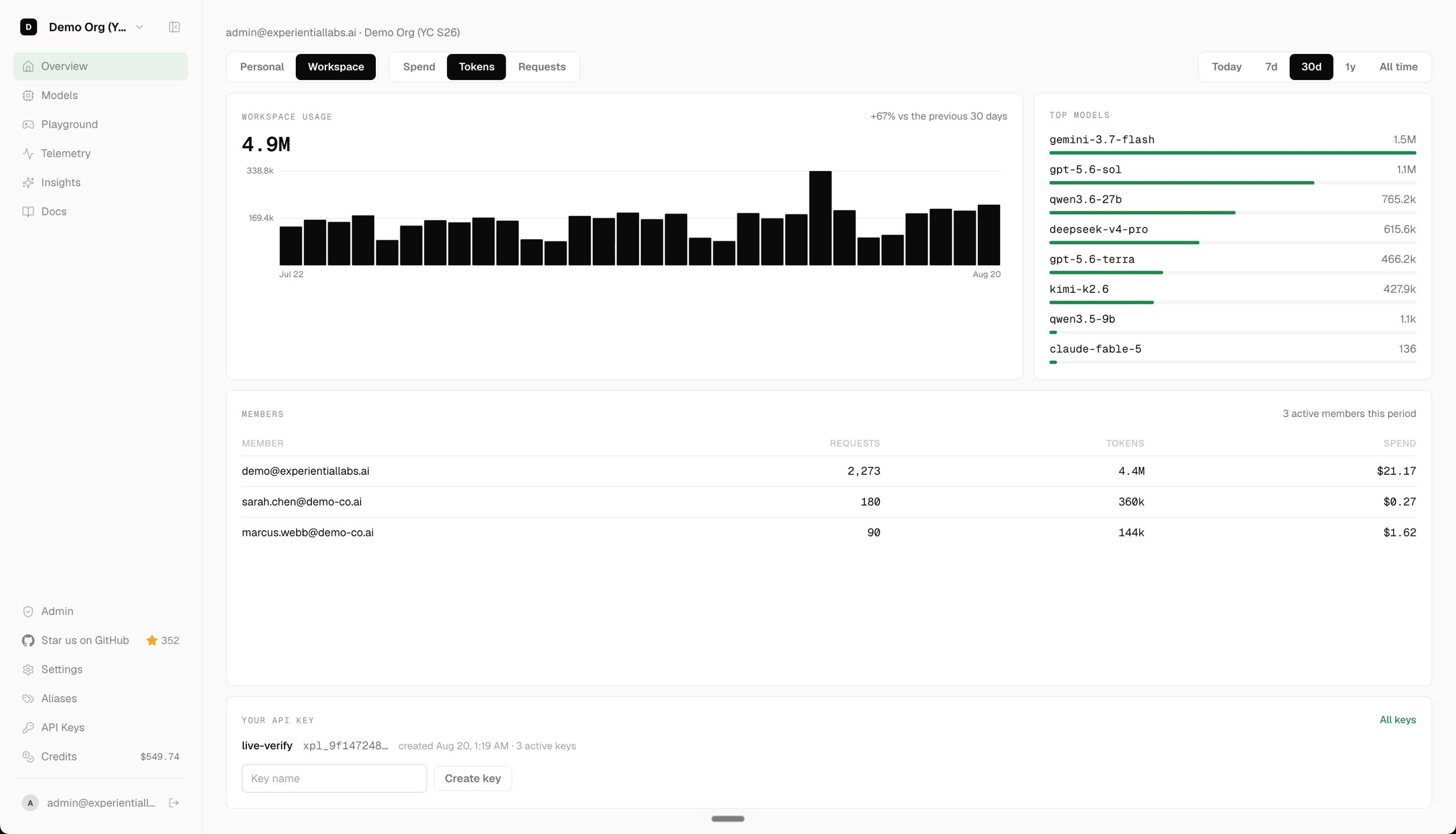
- Upload your LLM traces as telemetry: create an account instantly from your email, then pull or upload your existing LLM traces onto the platform as telemetry.
- Connect your inference provider keys (BYOK): create an account, then connect your own OpenAI, Anthropic, Gemini, Azure, Bedrock, Fireworks, or OpenRouter keys for free pass-through.
- Start calling models on the gateway: make your first `/v1` call with the OpenAI and Anthropic SDKs using an `xpl_` key, and optionally repoint your existing coding agents.
- Full onboarding: create an account instantly from your email, connect your keys, import your spend, then repoint every coding agent (Claude Code, Cursor, Codex, Aider, and similar) or Conductor at the gateway.
## Using the API
Start the local gateway with `exp` (or `exp run`); the compiled native data plane
serves every route on loopback. From Python, load a fitted project router as an
official OpenAI client backed by its own private gateway:
```python
import exp
with exp.load_router("my-project") as client:
response = client.chat.completions.create(
model="my-project",
messages=[{"role": "user", "content": "hello"}],
)
```
## Optimize from Traffic
First, collect OpenTelemetry traces from your current agent. If you just want to try it out, grab
the public [terminal-tasks OTLP dataset](https://huggingface.co/datasets/experiential-labs/wmo-terminal-tasks-traces):
```bash
curl -L -o traces.otel.jsonl \
https://huggingface.co/datasets/experiential-labs/wmo-terminal-tasks-traces/resolve/540883e451dc13d34fb50fdd36b143cb0f1fb0db/traces.otel.jsonl
```
Then build a project. The build command walks you through providers,
models, and budget, and asks for your trace file:
```bash
# Build simulation from your agent traces and optimize a router against it
exp build support-agent
```
After collecting traces from your router, fine-tune an open source model you own using
[Tinker](https://tinker.thinkingmachines.ai/).
```bash
exp optimize model support-agent
```
## Telemetry
Anonymous aggregate PostHog product telemetry is enabled by default. It never includes prompts,
traces, actions, observations, paths, model names, credentials, or raw customer content.
```bash
exp config telemetry status
exp config telemetry disable
exp config telemetry enable
```
The preference is stored locally in `.exp/settings.toml`.
## Development
```bash
uv sync --extra dev
uv run ruff format --check .
uv run ruff check .
uv run ty check
uv run pytest -q
```
Repository and documentation conventions live in [AGENTS.md](./AGENTS.md).