智能体
simonwillison.net ·
@Simon Willison's Weblog
llm-keys-ui 0.1 发布:为远程编码 agent 提供 API key 管理界面
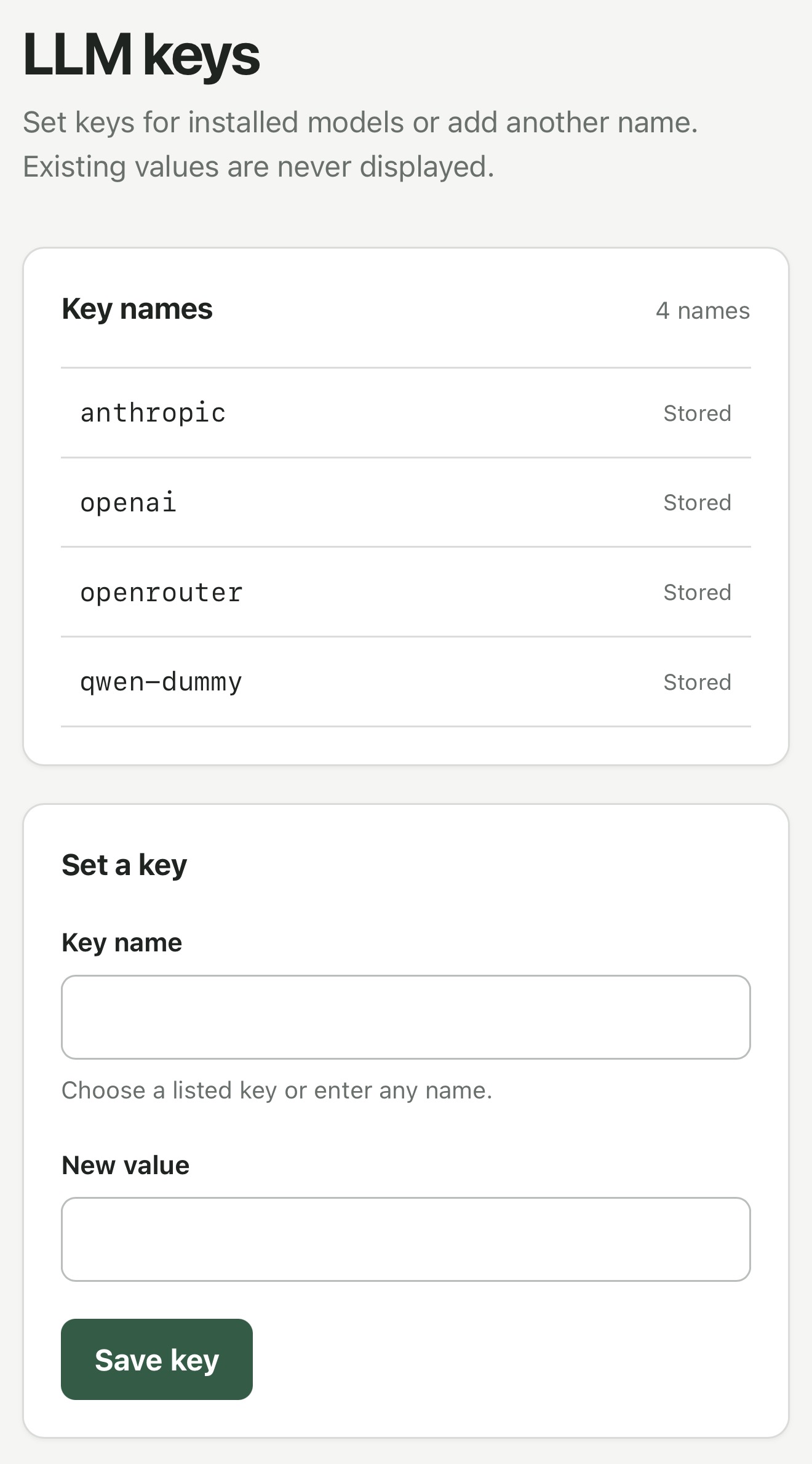
Simon Willison 发布 llm-keys-ui 0.1 插件,用于解决通过 Codex Remote 从手机控制远程机器运行编码 agent 时配置 API key 的问题。用户可执行 uvx --with llm-keys-ui llm keys-ui --all,插件会返回一个可访问的 URL(含本地网络或 Tailscale 设备 IP),通过该界面保存 API key,之后在 shell 命令中用 llm keys get anthropic 等方式取用,避免将密钥直接粘贴进 agent 会话。
AI推荐理由 Simon Willison 发布的 llm-keys-ui 0.1 插件,解决一个具体问题:在通过 Codex Remote 从手机控制远程机器运行编码 agent 时,避免把 API key 直接粘贴进 agent 会话。插件提供本地网络或 Tailscale 地址的 Web 界面来保存 API key,之后可用 llm keys get anthropic 在 shell 命令中取用。属于开发者工具类小工具,来源为作者本人博客,事实明确、无营销噪声,但影响范围较窄,缺乏性能或安全层面的验证信息。
62
正文
**Release:** [llm-keys-ui 0.1](https://github.com/simonw/llm-keys-ui/releases/tag/0.1)
This plugin solves a very specific problem.
I've started using [Codex Remote](https://learn.chatgpt.com/docs/remote) to run coding agents on various machines while controlling them from my phone.
Sometimes I use those machines to hack on LLM projects, and occasionally that means I need to configure an API key.
I don't like pasting API keys into agent sessions, so I wanted a way to get those keys onto a machine without pasting them into the ChatGPT app directly.
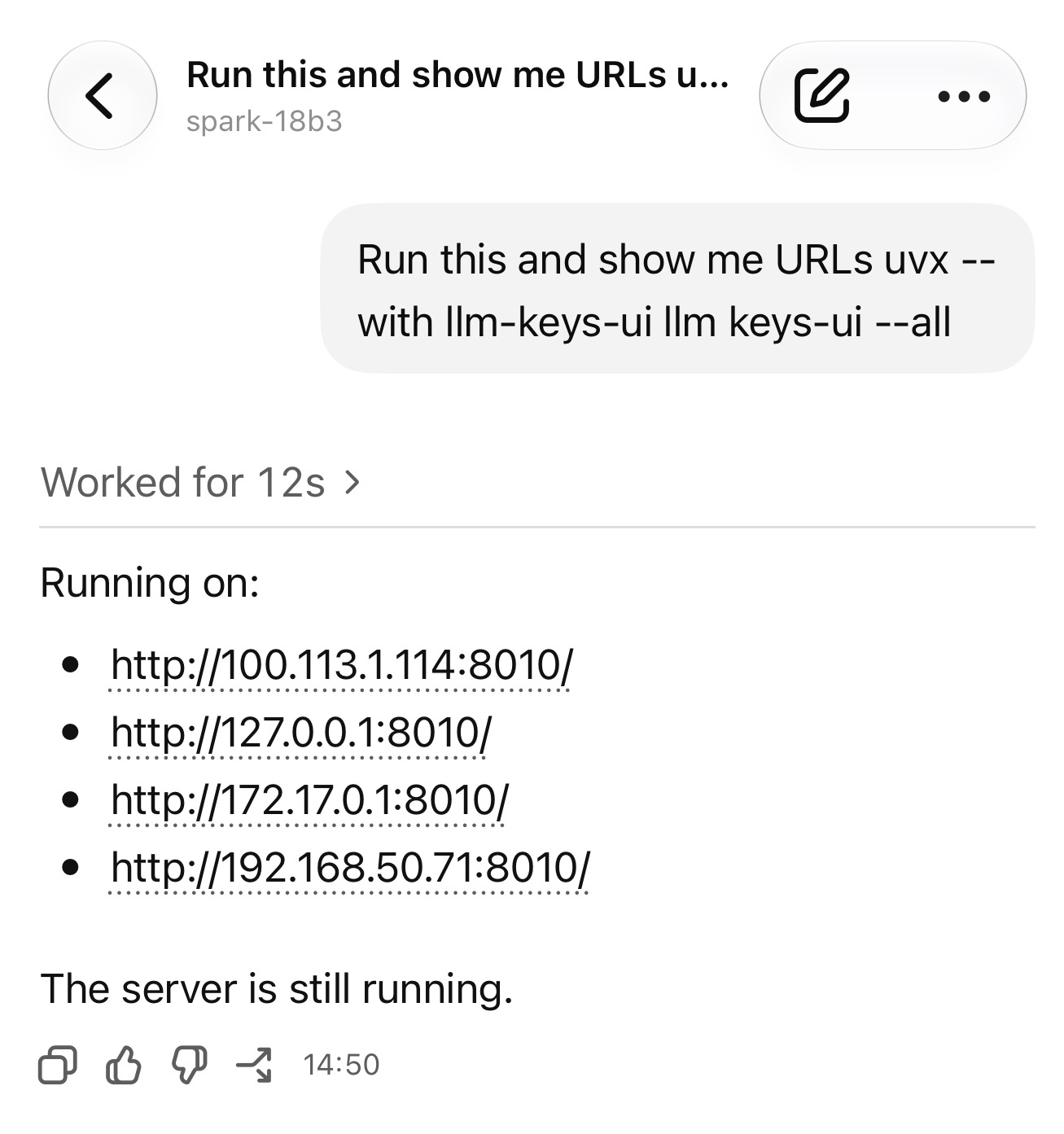
With this plugin, I can tell Codex to run:
```
uvx --with llm-keys-ui llm keys-ui --all
```
Then have it tell me the URL - including local network or Tailscale device IPs - for an interface to save additional API keys.
Then later it can use a command like `llm keys get anthropic` as part of a shell command when it needs to use a key.
Tags: [llm](https://simonwillison.net/tags/llm), [coding-agents](https://simonwillison.net/tags/coding-agents), [codex](https://simonwillison.net/tags/codex)